
Kdenlive has my go-to video editor since 2011. It used to feel a bit lacking, but now it has damn near all the features I use for video production. Once in a while I might have to spin up Blender or Audacity, but for the most part I live in the NLE.
AV1 Workflow
By default, Kdenlive is ready to make a standard mp4 file (h264 video + AAC audio). Not only is that format patent encumbered but also old and inefficient. Encoding to a more efficient and modern codec, one this is completely free is much better for my needs.
The SVT AV1 encoder was developed in partnership between Netflix and Intel. It’s probably the fastest AV1 encoder out there. It’s also free, open source, and in FFMPEG.
Encoding
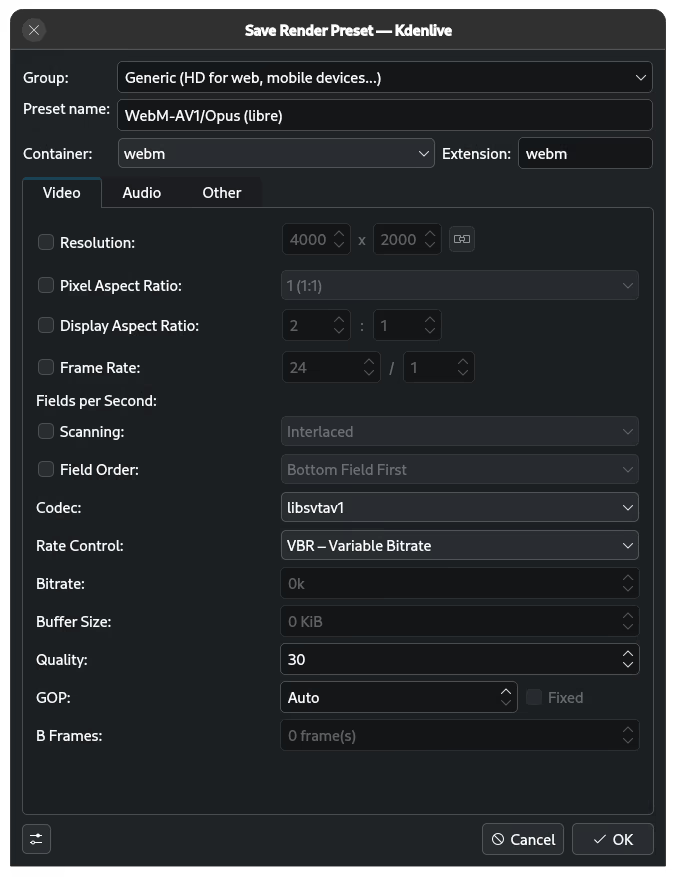
I made a new preset. Added it to the Generic group and named it ‘WebM-AV1/Opus (libre)’ to match the layout of the other presets. Set the container to webm.
Video Settings
- Codec to
libsvtav1 - Rate Control to VBR
- Quality to 30
The screenshots are from Kdenlive 25.12.2, Flatpak Version. Newer versions might have a different layout.
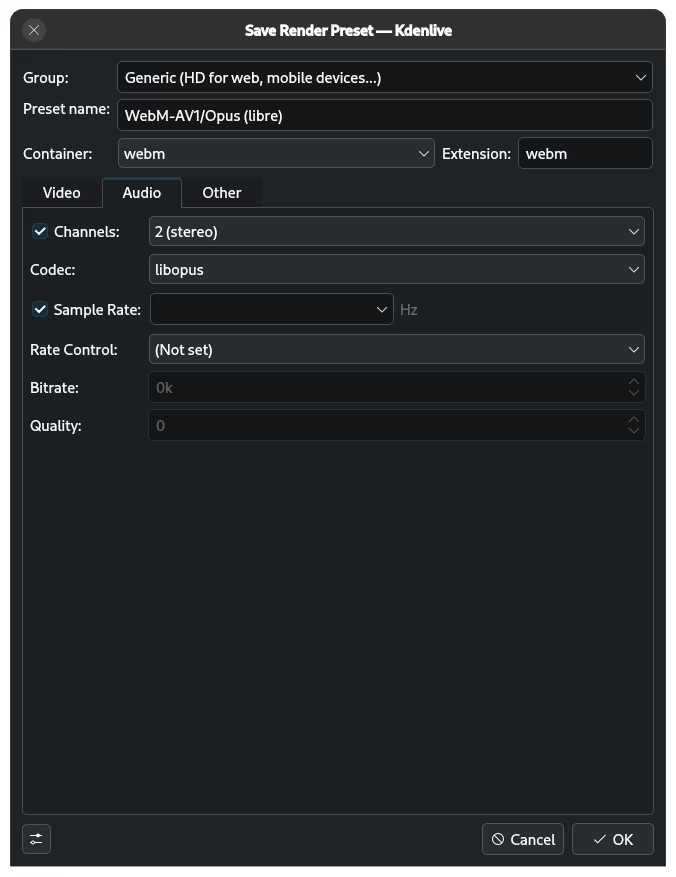
Audio Settings
Set codec to libopus and that’s it.
Bullshit Benchmarks
This benchmark is not exactly scientific. I simply took a 6-minute project and encoded it with the default mp4 profile and my new webm profile.
My Hardware
This machine is running:
- OS: Debian GNU/Linux 13 (trixie) x86_64
- CPU: 12th Gen Intel Core(TM) i7-12700 (20) @ 4.90 GHz
- GPU: AMD Radeon RX 6600 XT
- Memory: 17.91 GB / 31.08 GB
Mp4 Encoding: 2:09 // 2.9 GB file
WebM Encoding: 3:38 // 1.3 GB file
Is that time worth the difference in size/quality? That’s totally up to you. For me, yes.